Board tools
.mdHow agents see and change the board.
Every agent session gets four tools to see and change the board. Asked to “show me the code that handles login”, an agent opens the file as a frame, at the relevant lines, next to its own frame, instead of pasting code into its reply.
| Tool | Does |
|---|---|
view_board |
Lists the agent’s own cluster row by row, and summarises the others |
open_frame |
Opens a frame: a file (optionally at a line range), a browser, a terminal, an agent |
update_frame |
Points a files frame at another file or lines, switches preview/source (markdown, HTML), changes a URL, renames, moves |
close_frame |
Removes a frame |
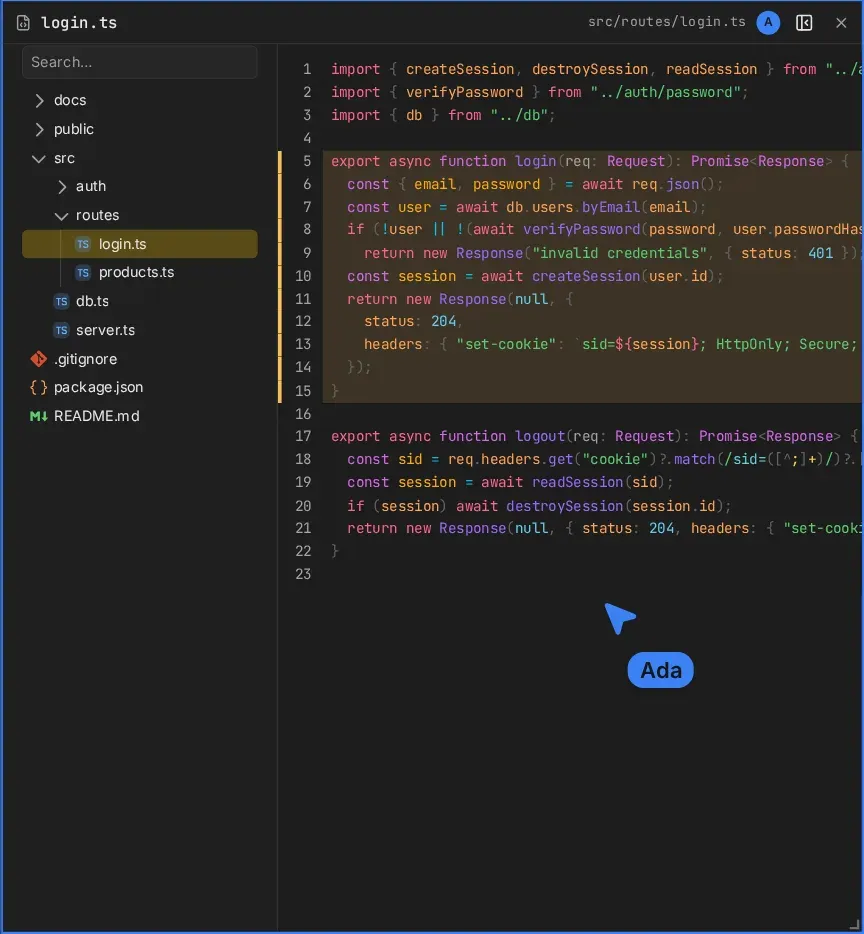
What an agent can do
An agent has the board powers of a guest with edit access, without approvals. Nothing it does on the board runs anything by itself:
- A terminal frame it opens is an idle shell. The agent cannot type into it.
- An agent frame it opens gets at most a prompt draft. A person sends it.
- A files frame shows only files in the shared set.
Board tool calls therefore never ask for permission. Tool calls that touch the machine, like shell commands, still ask the host.
Placement
Agents name frames and sides (next_to, side), never coordinates. New frames go into the
agent’s own cluster, at the end of its row, unless it says otherwise; the layout
rules make room. Frames an agent opens are recorded as its own, and it is told
to leave other people’s frames alone unless asked.
Priming
canvas tells the agent what the board is, and how to behave on it, through the tool server’s instructions. Agents show these next to their own system prompt, never instead of it, and they never appear in the thread.
Requirements
Board tools work while the host’s browser is open: it runs every call against the board. Without it, the agent is told the board is unavailable. With several host tabs open, the first one connected runs the calls.