Guests
.mdGuest links, guest access and approvals.
Guest link
The host copies it with Copy guest link in the top bar. It holds the room’s key and the host’s
public key, but not the token that controls canvas serve. A guest link lets someone join the
board; what they can do there is the host’s choice.
Both links keep their secrets in the URL fragment (after #), which browsers never send to the
server hosting the web app.
Guest access
The host sets one guest access for the whole board, in the top bar. Guests see theirs as a badge.
| Access | Board | Runs on the host’s machine |
|---|---|---|
| view | Read-only; sees the files others open, no file tree | Nothing |
| edit (default) | Edits frames and prompt drafts, opens files, browses the tree | Only after the host approves |
| trusted | As edit | Directly, without approval |
A view guest’s edits never leave their browser: the host drops them.
Approvals
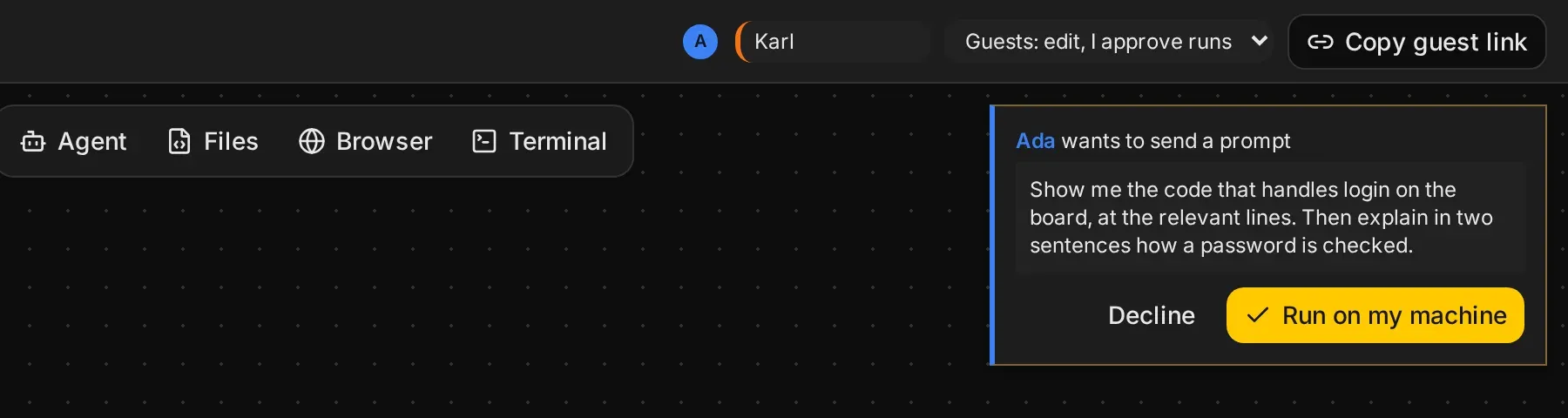
With edit access, these become an approval card for the host:
- sending a prompt
- changing an agent’s settings
- stopping an agent
The host presses Run on my machine or Decline. The guest’s frame says waiting for the host to approve… until then.
Permissions are the host’s
When an agent asks for permission to run a tool call, for example a shell command, only the host can answer, whatever the guest access. Guests see the request, marked as waiting for the host. See Agent.
Terminals
Only the host and trusted guests type into a terminal frame. Everyone sees its output.
When the host is away
Everything goes through the host’s browser. If it is closed, guests see the board as they last had it and waiting for host…; nothing runs, and edits between guests wait for the host.