Introduction
.mdWhat canvas is, and who does what on a board.
canvas is a prototype. It exists to prove a concept, not to be relied on. It runs coding agents and shells on the host’s machine and lets other people reach them through a browser. Do not use it for critical work, on machines or repositories that hold anything you cannot afford to leak, or anywhere security is an absolute requirement. Read Security and Limits first.
canvas is a multiplayer board, like Miro, whose frames are coding-agent sessions, files of your project, terminals and browser previews. The agents run on one person’s machine. Everyone else joins from their browser, peer to peer, and works on the same board: writing prompts together, reading the same thread, looking at the same files.
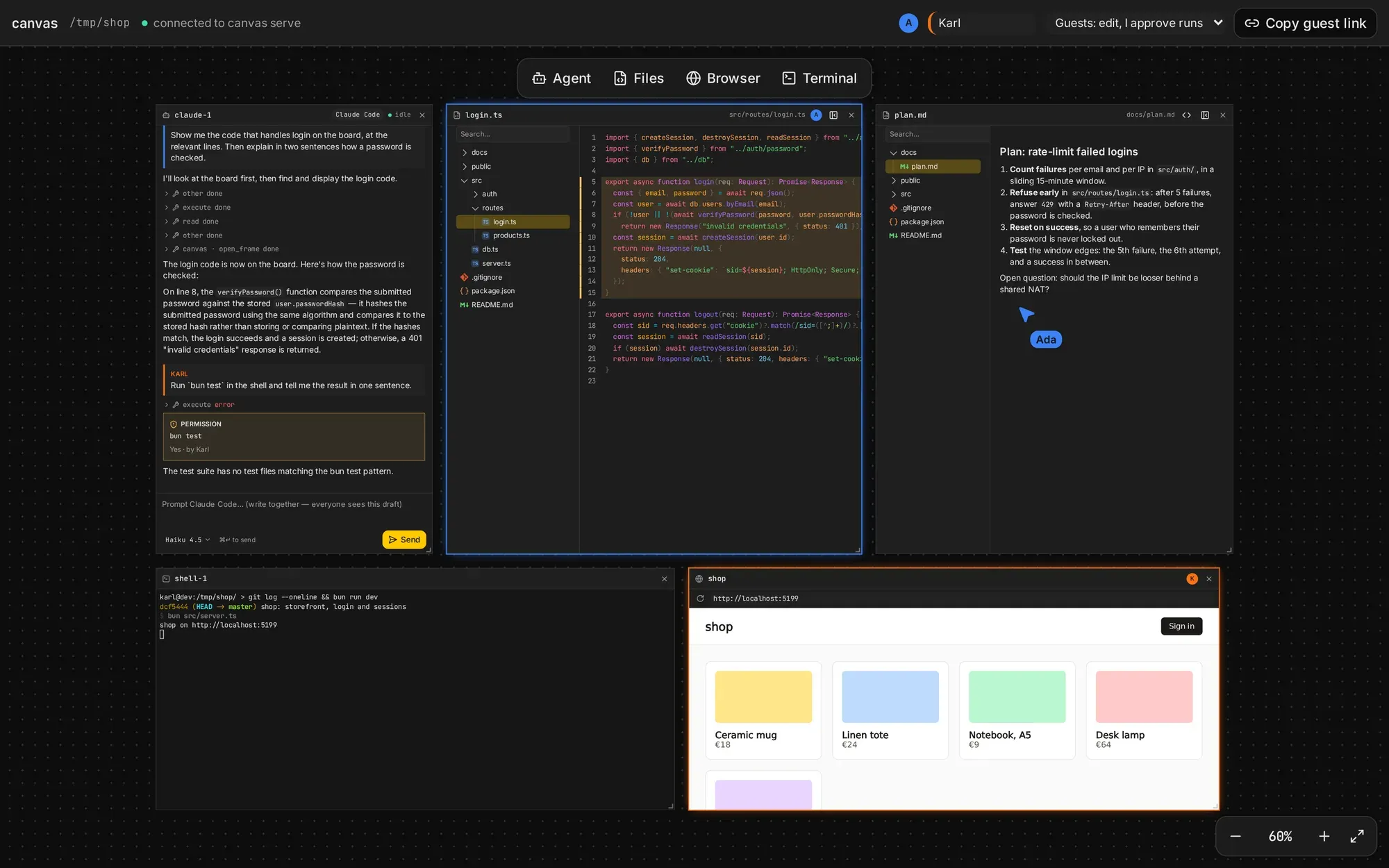
Who does what
- The host runs
canvas servein a project directory and opens the host link it prints. Agents, terminals and files live on the host’s machine. The host’s browser is the only thing that talks tocanvas serve. - Guests open the guest link the host shares. What they can do is set by the host’s guest access: view, edit (the host approves every run) or trusted.
- Agents are frames on the board. Anyone with edit access writes their prompts; agents can open and arrange frames themselves with the board tools.
Frames
| Frame | Shows |
|---|---|
| Agent | A Claude Code or opencode session: its thread and a shared prompt draft |
| Files | A project file, read-only and live, with a file tree |
| Terminal | A shell on the host’s machine, mirrored to everyone |
| Browser | A URL, loaded by each viewer’s own browser |
Next
- Quick start: run
canvas serveand invite someone. - Architecture: how the pieces connect.