Drawing
.mdAn Excalidraw whiteboard everyone on the board draws on, agents included.
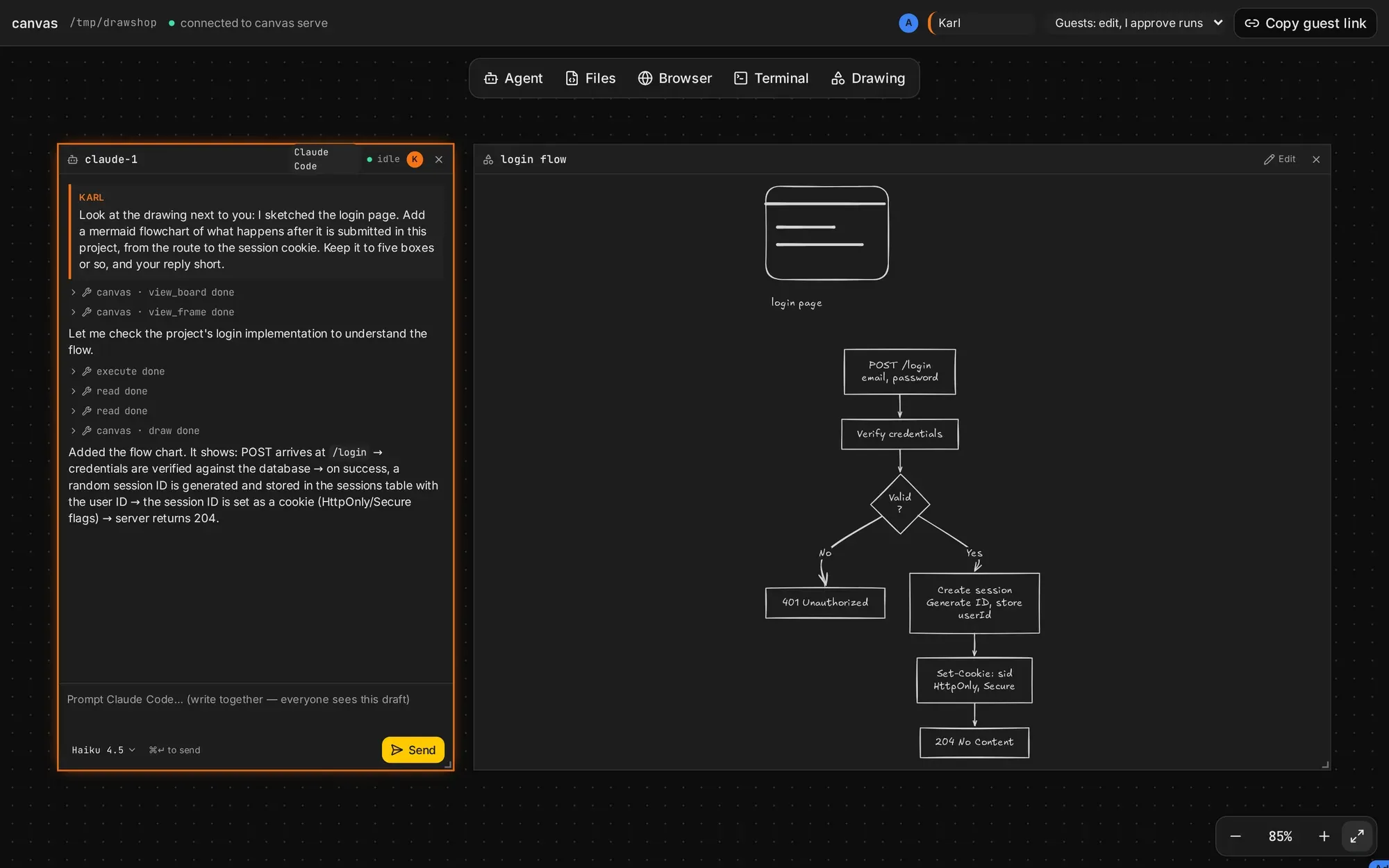
A drawing frame is a whiteboard: Excalidraw, inside the board. Everyone draws on the same drawing and sees everyone else’s strokes as they happen. Agents look at it and draw on it too.
Draw
- Add one from the toolbar: Drawing.
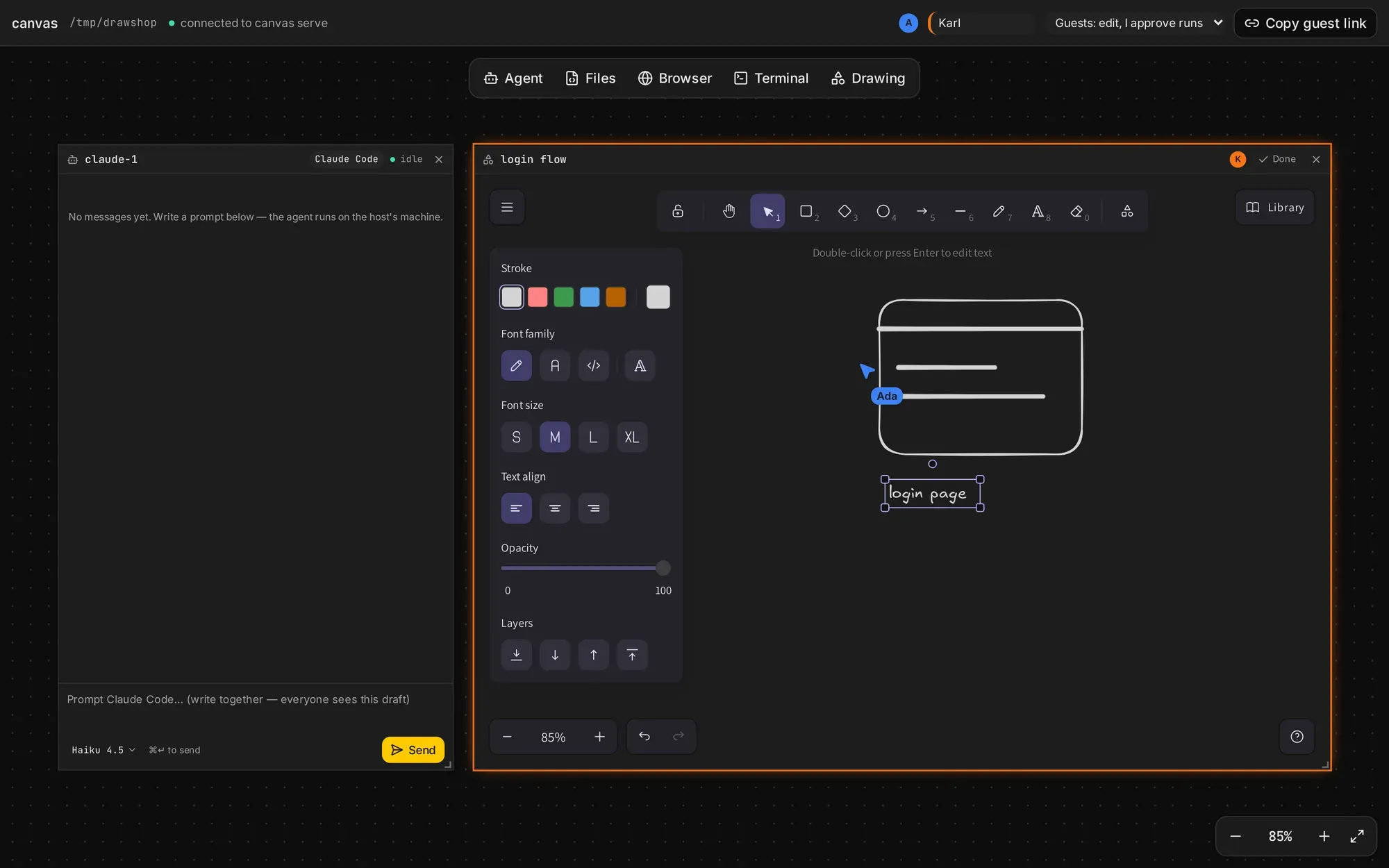
- Double-click it, or press Edit in its header, to draw. Excalidraw opens where the drawing was, with its tools: shapes, arrows, lines, the pen, text, the eraser.
- Done, or a click anywhere outside the frame, puts it back. At rest it is a picture that zooms with the board like any other frame.
- ⌘/Ctrl + wheel zooms the drawing while you draw, not the board. The wheel pans it.
- Undo takes back only your own changes, not other people’s.
Drawing is yours: others see your changes live, but not your tools, selection or view. Several people can draw in the same drawing at once.
Agents
Agents see a drawing when they look at the frame: as an image, and as a list of its shapes, labels and arrows. So you can sketch something and ask “what’s missing here?”, or ask an agent to draw an architecture next to your notes. Agents draw with shapes and arrows, or with a mermaid flowchart, sequence or class diagram, which turns into shapes you can then move and change.
Whether an agent can read the image depends on its model: models without image input work from the list of shapes only, and don’t see freehand strokes.
Guests
Guests with edit access draw like the host. View guests see the drawing but get no Edit.
Limits
- No images in drawings yet: the image tool is off, and pasted images are refused.
- Embeds (web pages inside a drawing) don’t load, as they would load any URL on everyone’s machine.
- Links on shapes go to places on the board like other links; web links open in a new tab.
- Excalidraw’s full toolbars need about 500 pixels of height on screen. In a smaller or zoomed-out frame it shows its compact toolbars instead.
- Removed shapes stay in the board’s data, marked removed, as Excalidraw keeps them.