Pre-release docs, for @frebreco/canvas@next. Stable docs
Agent
.mdAgent frames, prompt drafts, agent settings and permissions.
An agent frame shows a conversation with a coding agent running on the host’s machine. Everyone on the board reads the same thread. A frame can start a new conversation and go back to its earlier ones (Conversations).
Pick an agent
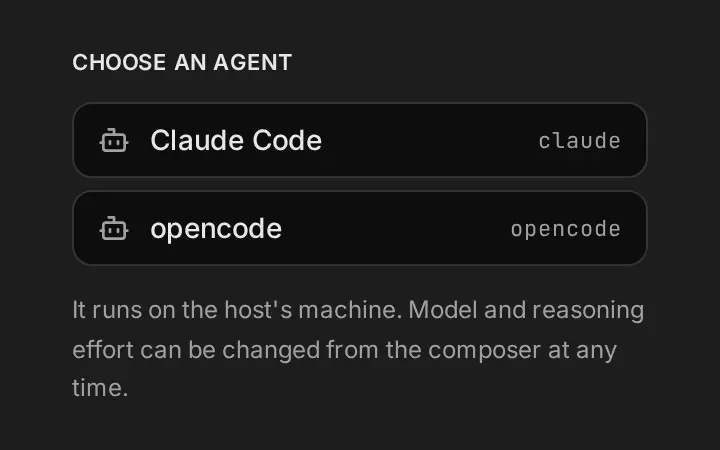
A new agent frame asks which agent runs it. The list is what the host has installed:
- Claude Code, through its ACP adapter.
- opencode, as
opencode acp.
The choice is made once per frame, and the frame is renamed after it: agent-1 becomes
claude-1. Picking runs nothing yet: the agent starts with the first prompt. To show its settings
before that, canvas serve asks the agent for them once (then keeps them in
.canvas/agents.json).
Prompt drafts
The composer at the bottom is a shared prompt draft: everyone with the edit role types into it at once and sees each other’s carets. Send (⌘/Ctrl-Enter) sends the draft as one prompt, signed with the sender’s name.
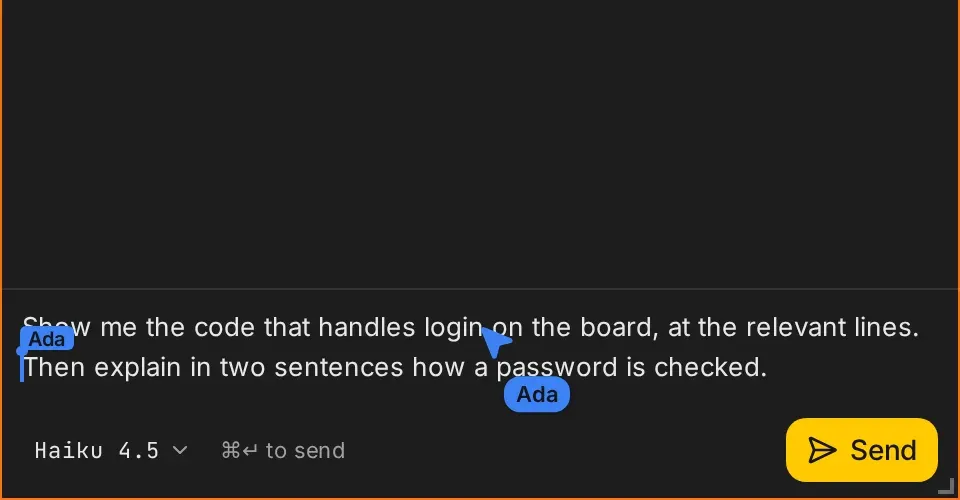
Who can send:
- the host, directly;
- guests with the edit role, after the host approves (Guests).
Stop ends the agent’s turn.
In an empty draft, ↑ brings back your last prompt to this agent, and more ↑ older ones; ↓ goes back. It only goes through your own prompts, and never over a draft someone is writing. A prompt in the thread has a button that puts it into the draft again, to change and send; with text in the draft, it goes after it.
Thread
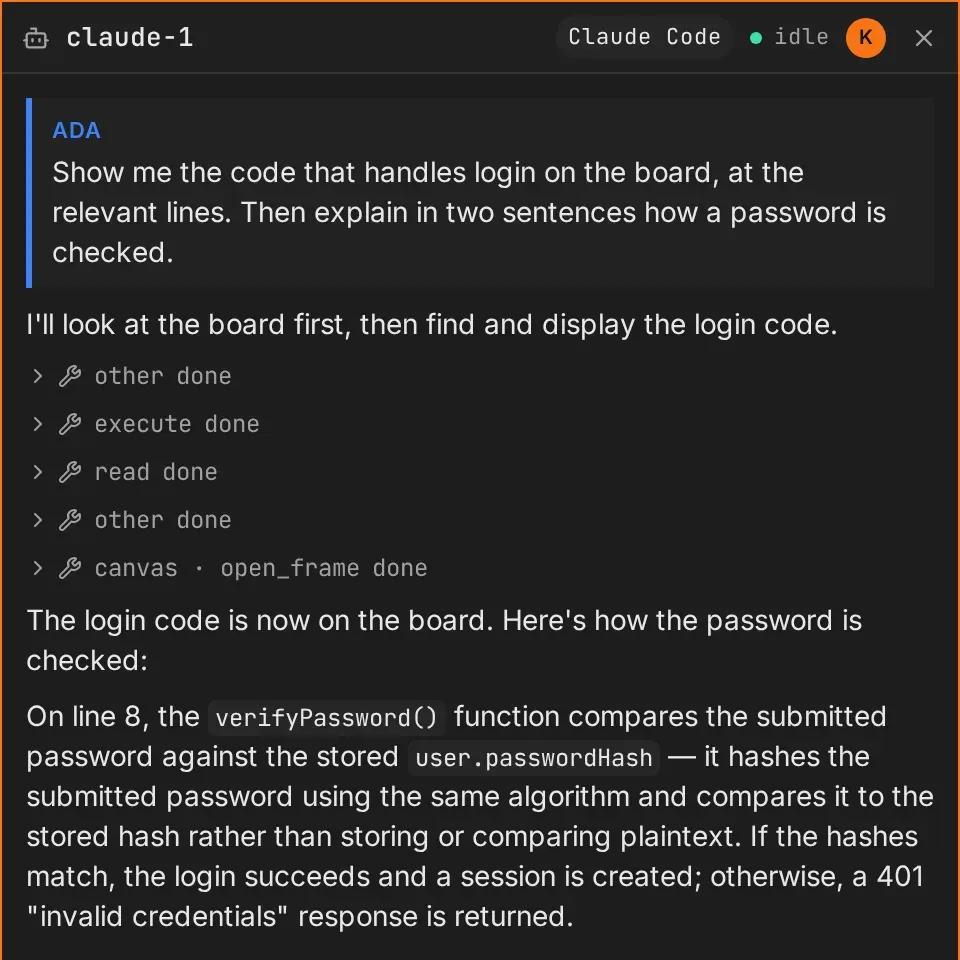
The thread shows each prompt with its author, the agent’s replies, and its tool calls, which expand. Several tool calls in a row fold into one line (5 tool calls, with the last one); a click unfolds them. Scrolled up, a Latest button takes you back to the end; it says New activity when more arrived meanwhile. Hovering a prompt, a reply, a code block or a tool call’s output shows a copy button; a reply copies as markdown.
Each prompt ends with how long the agent worked on it and the tokens it took (hover for input, cached and output). While it runs, the time counts up.
Left of Send, a ring shows how full the agent’s context is, when the agent says (Claude Code and
opencode do; a gauge stands in otherwise). Hovering or clicking it shows the session: context used,
prompts, time working, tokens, and cost when the agent knows it. A click keeps it open. The status in the header is idle, running, or waiting (for a permission). Board
tool calls show as canvas · open_frame and the like.
Plan
When the agent keeps a plan (Claude Code’s and opencode’s todo lists), it shows above the composer: each step with its state, and how many are done. It stays until the agent makes a new one. Folding it away is your own; others still see it.
Agent settings
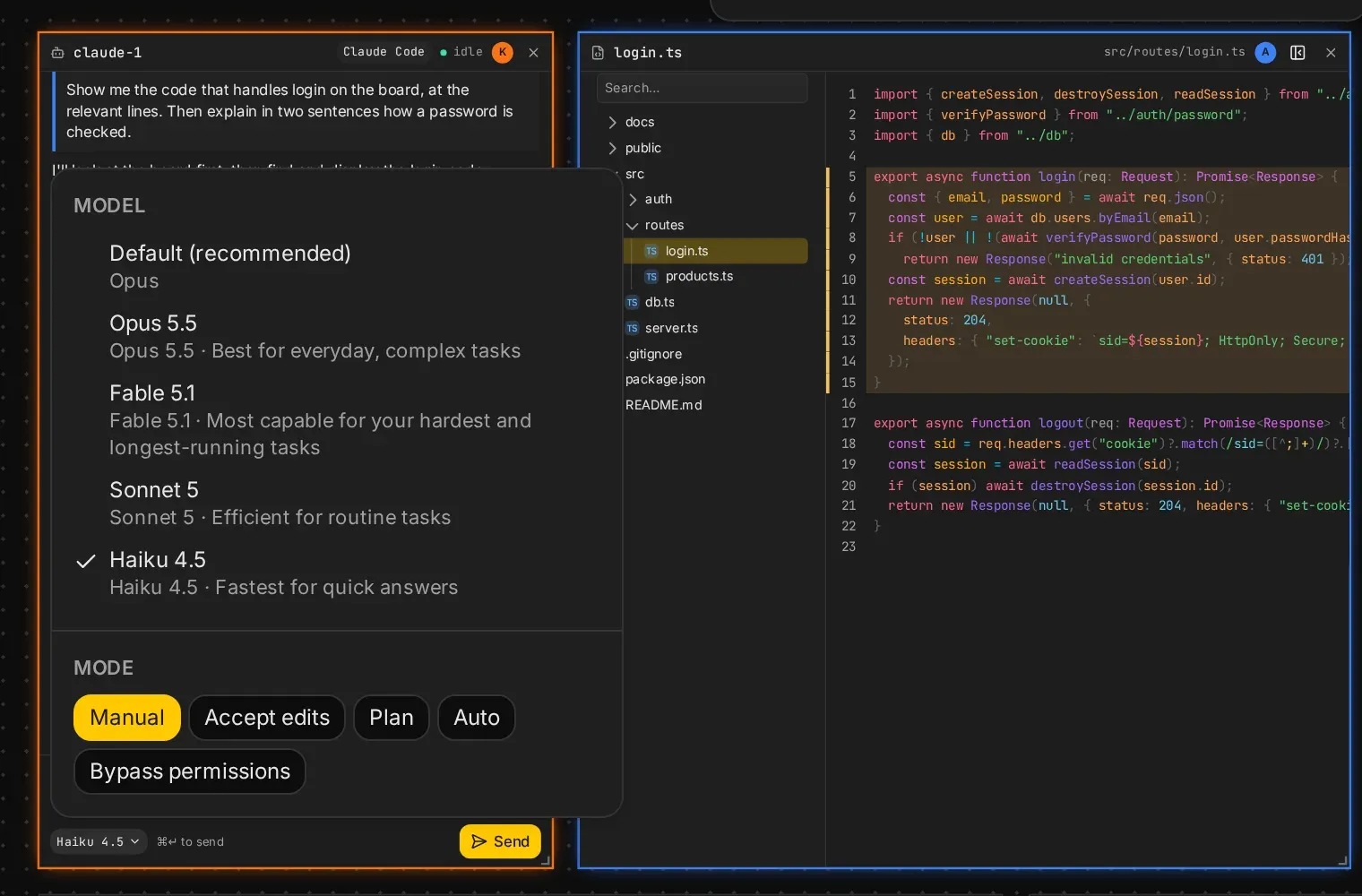
The chip in the composer (for example Haiku 4.5) opens the agent’s settings: model, reasoning effort, mode, whatever the agent offers for the session. They can change between prompts. The agent decides which settings exist, and they can depend on the model.
Settings are kept with the session and applied again when the agent restarts.
Beside it, the mode chip shows the agent’s mode: Claude Code’s Manual, Accept edits, Plan, Auto (on models that have it), opencode’s build and plan. It is quiet in the agent’s default mode and coloured in any other, so plan mode is hard to forget. A click, or Shift+Tab in the composer, goes to the next mode. Modes that skip permissions (Bypass permissions) are only picked in the settings.
Permissions
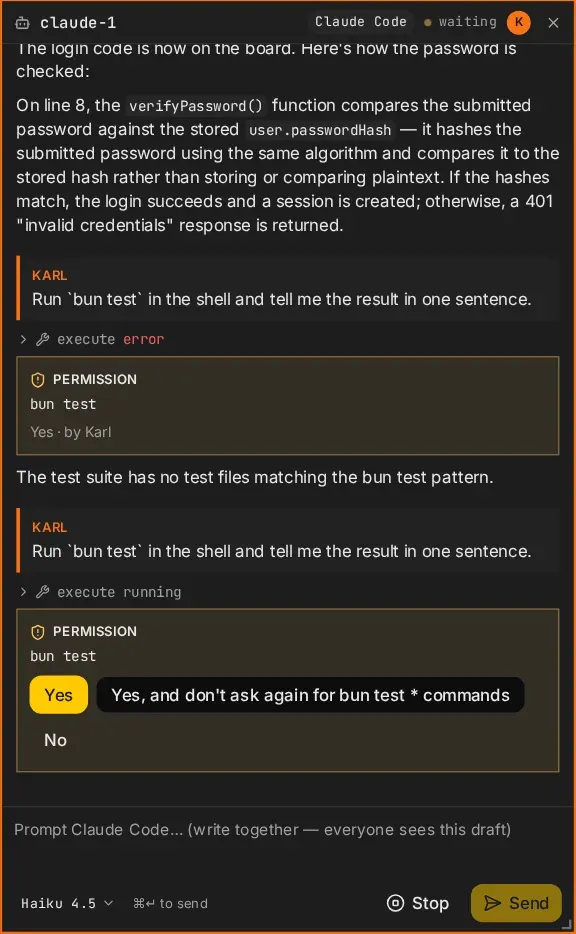
Agents ask before some tool calls: Claude Code in its Manual mode, opencode by its own
permission settings (by default, before touching files outside the project; your opencode.json
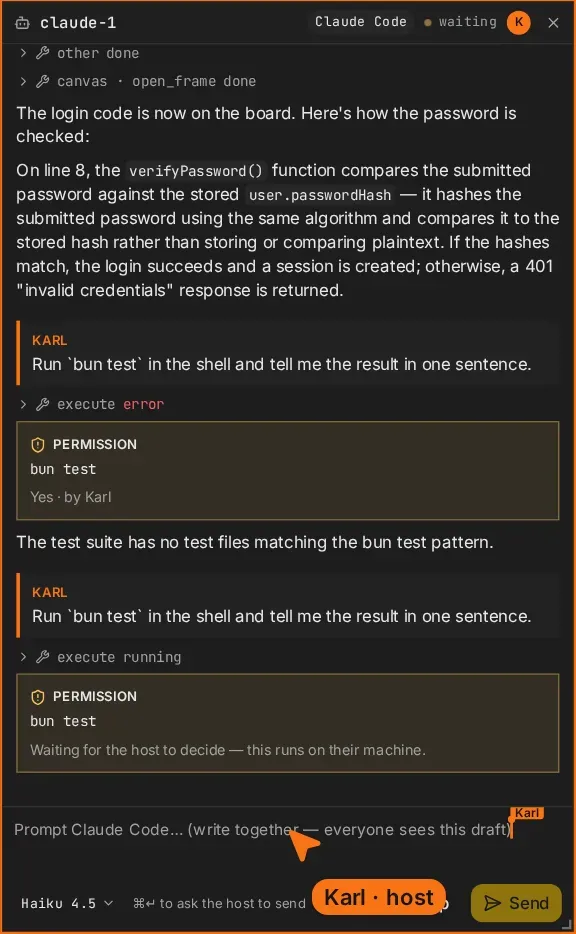
can change that). The request appears in the thread, under the tool call it gates. Only the host
can answer it, whatever the guest’s role; guests see that it waits for the host.
A waiting agent is hard to miss: its frame is outlined, and its header says needs you (for guests, needs host); a click scrolls to the request. The top bar’s inbox lists the agents waiting, each with Go there. An agent frame out of view that waits gets a marker on the edge of the screen, in its direction, like people do; a click goes there.
| Host | Guest |
|---|---|
 |
 |
Conversations
The agent’s name in the frame’s header (for example opencode) opens the frame’s conversations: New conversation, then the conversations it had, the last active first, each with its first prompt as its title and how long ago it was active. The shown one has a check.
- New conversation empties the thread. The agent settings stay those of the conversation before, and the prompt draft stays as it is. Nothing runs until its first prompt (or a change of its settings); a new conversation nobody prompted leaves nothing behind.
- Picking one shows its thread again. The agent still remembers it: the next prompt continues that conversation.
- An empty new conversation offers ← back to … the one before.
- Switching is the frame’s, not your own: everyone sees the frame switch. The host and members with the edit role switch freely, without approval; only prompts run anything, and they are approved as ever (Guests).
- Not while the agent works: stop it, or wait for its turn to end, to switch.
- Members with the view role see the list, but can’t switch.
Sessions
- A conversation’s agent process starts with its first prompt, stops after 15 minutes unused, and stops at once when its frame switches to another conversation. The next prompt resumes the same conversation.
- Threads are saved by
canvas serveand survive restarts. - Removing an agent frame removes it from the board; its conversations’ logs stay in
.canvas/.
Configuration
| Environment variable | Default | Effect |
|---|---|---|
CANVAS_OPENCODE_MODEL |
opencode-go/big-pickle |
opencode’s model for new sessions |
opencode runs with bash: "ask", so every shell command asks the host.